Entering and Maintaining Insurance Information
Insurance Help Page Summary
This tutorial page will instruct you on using the Insurance page. The Insurance page will be displayed for all lease types. For iLeasePro general navigation instructions, please visit the QuickStart General Navigation page.
Page Sections
The Insurance page contains information and is separated into three sections;
- Lessor Insurance Requirements
- Lessee Insurance Requirements
- Insurance Document Management
Section Help
Every page with Sections offers you additional help for that Section. This help information can be accessed by clicking on the question mark in the Section header bar.
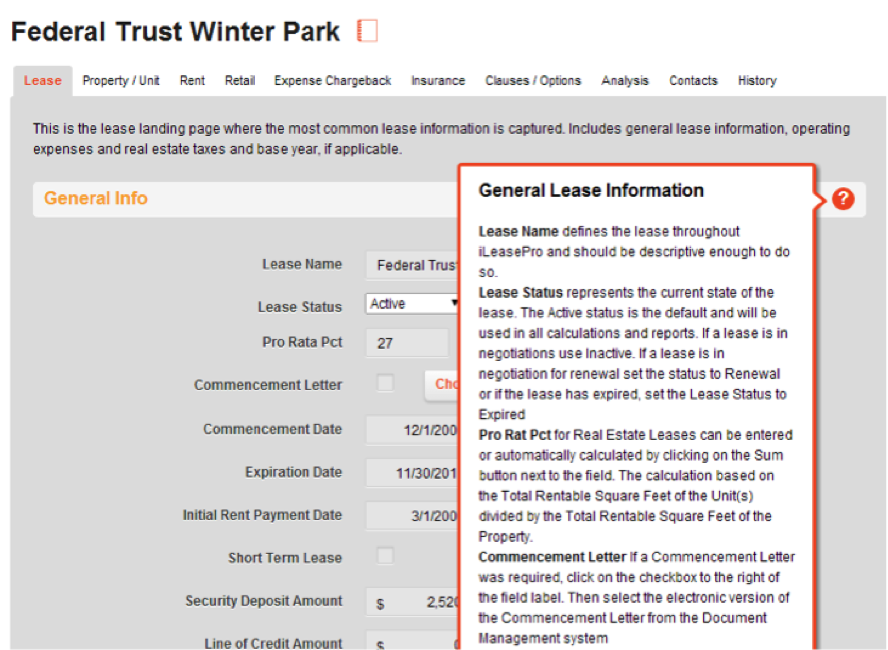
Notes

To add annotations/notes to support the information entered, click on the notepad icon shown above. A new page will be displayed where you can add personalized notes that you would like to make to help you or others in your team identify key dates/reasons, etc for the lease information entered.
Insurance Info
The Insurance page is used to store key insurance information related to the lease.
Lessor Insurance Requirements
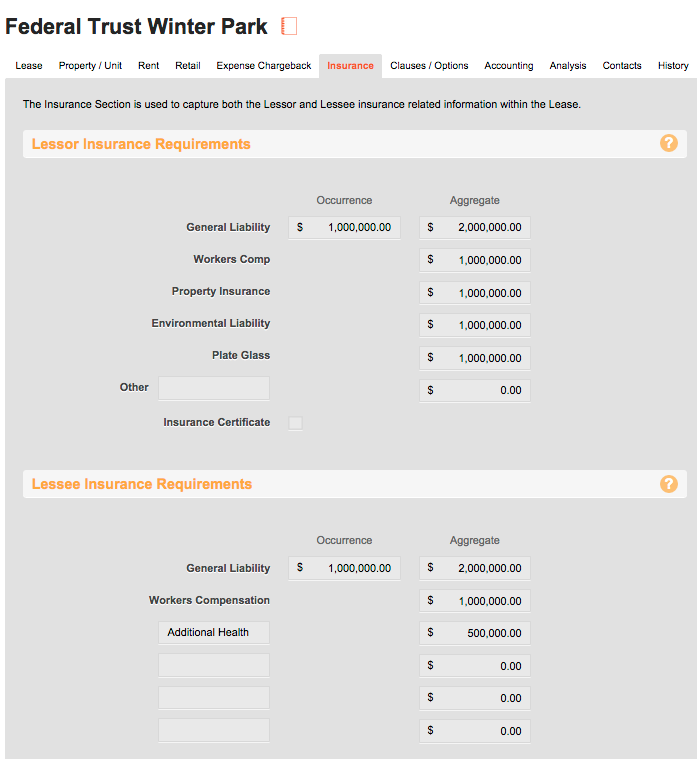
The Lessor Insurance Requirements are insurance values that the Lessor is responsible for maintaining and defined in the lease.
General Liability: If specified in the lease that the Lessor is required to carry General Liability Insurance coverage, enter in the General Liability coverage amounts for both single occurrence and in aggregate.
Workers Comp: If specified in the lease that the Lessor is required to carry Workers Compensation Insurance coverage, enter in the Workers Compensation coverage amounts for the aggregate.
Property Insurance: If specified in the lease that the Lessor is required to carry Property Insurance coverage, enter in the Property Insurance coverage amounts for the aggregate.
Environmental Liability: If specified in the lease that the Lessor is required to carry Environmental Liability Insurance coverage, enter in the Environmental Liability Insurance coverage amounts for the aggregate.
Plate Glass: If specified in the lease that the Lessor is required to carry Plate Glass Insurance coverage, enter in the Plate Glass Insurance coverage amounts for the aggregate.
Other: Use the Other field to specify any insurance coverage requirement set in the lease for the Lessor. Then add in the insurance coverage amounts for the aggregate of that requirement.
If a certificate of insurance is required, the Insurance Certificate checkbox should be selected.

If the certificate of insurance in available in an electronic format, upload the electronic version of the certificate through the Document Management Upload process.
Insurance Certificate. Select the Insurance Certificate checkbox to indicate if the Lessor is required to deliver a Certificate of insurance with this lease. If the electronic version of the document has been uploaded and available in the Documents section below, then select the correct document name from the list box to the right of the Insurance Certificate checkbox.
Lessee Insurance Requirements
The Lessee Insurance Requirements are insurance values that the Lessee is responsible for maintaining and defined in the lease.
General Liability: If specified in the lease that the Lessee is required to carry General Liability Insurance coverage, enter in the General Liability coverage amounts for both single occurrence and in aggregate.
Workers Comp: If specified in the lease that the Lessee is required to carry Workers Compensation Insurance coverage, enter in the Workers Compensation coverage amounts for the aggregate.
Free Form Fields: Use the remaining free form fields to specify any insurance coverage requirement and the aggregate amounts that have been defined in the lease for the Lessee.
Insurance Document Management
For detailed explanation on uploading an electronic document into iLeasePro, please reference the Upload Document Help Page.